How to Set Up an Automatic Feeder With a Camera
A feeder camera can help you confirm that food came out, but it needs a portion test, stable Wi-Fi, and a backup plan before you leave home.
By Harper Lin
Pawsidepicks is reader-supported. As an Amazon Associate we earn from qualifying purchases. Learn more.
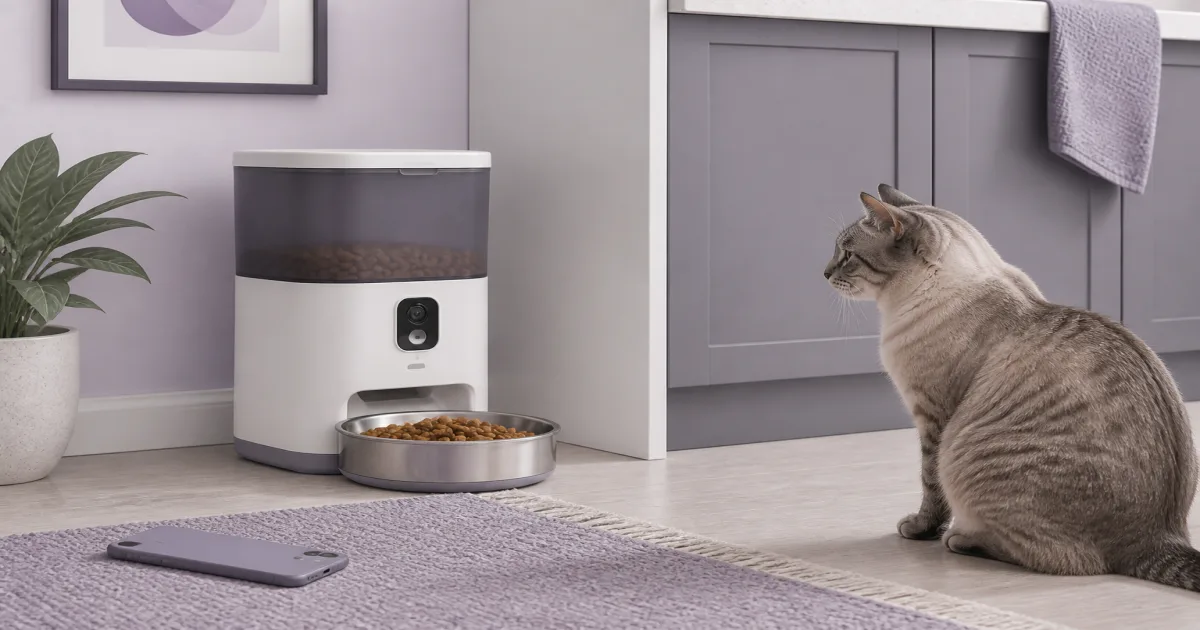
The short answer: Set up an automatic feeder with a camera at home for several days before you rely on it. Test portions with your actual kibble, confirm camera alerts work, and keep a person available for anything a machine cannot handle.
Our picks
A camera feeder can make it easier to check whether the bowl was filled while you are at work. It cannot tell you whether a pet feels sick, drank water, or ate every bite. Treat the camera as a useful check-in, not remote care.
We checked the live US Amazon listing and review pattern for the PETKIT Automatic Cat Feeder with Camera. It showed 4.5 stars from 2,877 ratings during our review. We have not hands-on tested it. The listing and reviews describe scheduled dry-food dispensing, 1080p video, night vision, app control, and the usual Wi-Fi setup tradeoffs.
Start with a dry, stable location
Place the feeder indoors on a level floor. Keep it away from a water bowl, an open window, and the edge of a counter. A bumped feeder can spill kibble or change how a portion lands in the bowl.
Check that the power cord cannot become a chew toy. If your pet has a habit of pulling at cords, use a protective cover or choose a safer placement.
Before committing to a location, open the app and check the Wi-Fi signal there. A feeder can still run a stored schedule on many models, but the live camera and alerts will not be useful if the connection drops every few hours.
Measure a real test portion
Fill the hopper with the same dry food your pet normally eats. Run one scheduled portion into a measuring cup. Repeat it three times. Small round kibble and large irregular pieces do not dispense the same way.
Compare the result with your pet's normal meal amount. Adjust the number of portions in the app and test again. Do not trust a generic “one portion” label with your pet's diet.
If your pet eats wet food, use a feeder designed for refrigerated meals instead. Our automatic cat feeder for wet food guide covers that separate job.
Let your pet meet it before it serves meals
Put the feeder in place with the bowl empty. Let your pet sniff it. Next, hand-feed a few pieces near the bowl. Then run a small test meal while you are home.
Some pets dislike the motor sound. Others learn quickly that the sound means dinner. Keep the first few meals small so your pet does not miss a full feeding while they decide whether the new bowl is suspicious.
If you have two pets, watch closely. One pet may hear the feeder and claim both meals. The camera helps you notice this, but you may need separate feeding stations or a microchip feeder to solve it.
Set alerts you will actually see
Turn on a dispensing alert first. Then test a camera alert, motion alert, and low-food notification. Disable anything that produces constant noise you will start ignoring.
Open the video feed from cellular data, not just from your home Wi-Fi. This confirms you can see the bowl when you are away. Check night vision too if dinner happens after dark.
Put the camera angle low enough to show food reaching the bowl. A beautiful view of the ceiling does not help when a kibble bridge prevents a meal from dropping.
Use backup power and a backup person
Install battery backup if the model allows it. Unplug the feeder briefly and confirm its schedule remains saved. Replace backup batteries on a calendar rather than waiting for an outage.
For an overnight trip, ask someone to check your pet in person. A feeder can jam, an outlet can trip, and a pet can vomit next to a perfectly functioning camera. Keep water available in a separate bowl or a maintained cat water fountain.
Clean the bowl and hopper on the schedule in the manual. Old kibble dust and oily residue are common causes of bad smells and uneven portions.
Bottom line
An automatic feeder with a camera is helpful when you test it before you need it. The PETKIT Automatic Cat Feeder with Camera is a well-reviewed, research-based option for dry-food schedules and video checks. Measure your portions, test alerts from outside the house, and keep a human backup for every trip.
Frequently Asked Questions
Can an automatic feeder camera replace a pet sitter?
No. It can show whether food dispensed, but it cannot handle a jam, illness, water issue, or emergency.
Do camera feeders work without Wi-Fi?
Most can follow a stored meal schedule, but camera viewing and app alerts generally need a stable internet connection.
How do I know the feeder portion is correct?
Run several test meals into a measuring cup and weigh or measure the kibble. Portion counts are not the same across every food shape.
Where should I put a feeder camera?
Put it on a stable indoor floor near an outlet and Wi-Fi signal, away from water bowls and direct sun.
Can two cats share one automatic feeder?
They can, but one cat may eat both portions. A feeder with a camera helps you notice the problem but does not prevent it.
Should I keep a battery backup in the feeder?
Yes when the model supports it. Use fresh batteries and test that a scheduled meal still works after unplugging the unit.